
این صفحه هنوز ترجمه نشده است؛ نسخهٔ انگلیسی نمایش داده میشود.
Identify
Turn Identify on and click a feature: every layer hit at that point, and every feature in it, appears in the modeless Identify results window with its attributes. The sample adds two overlapping polygon layers so that one click hits features in both.
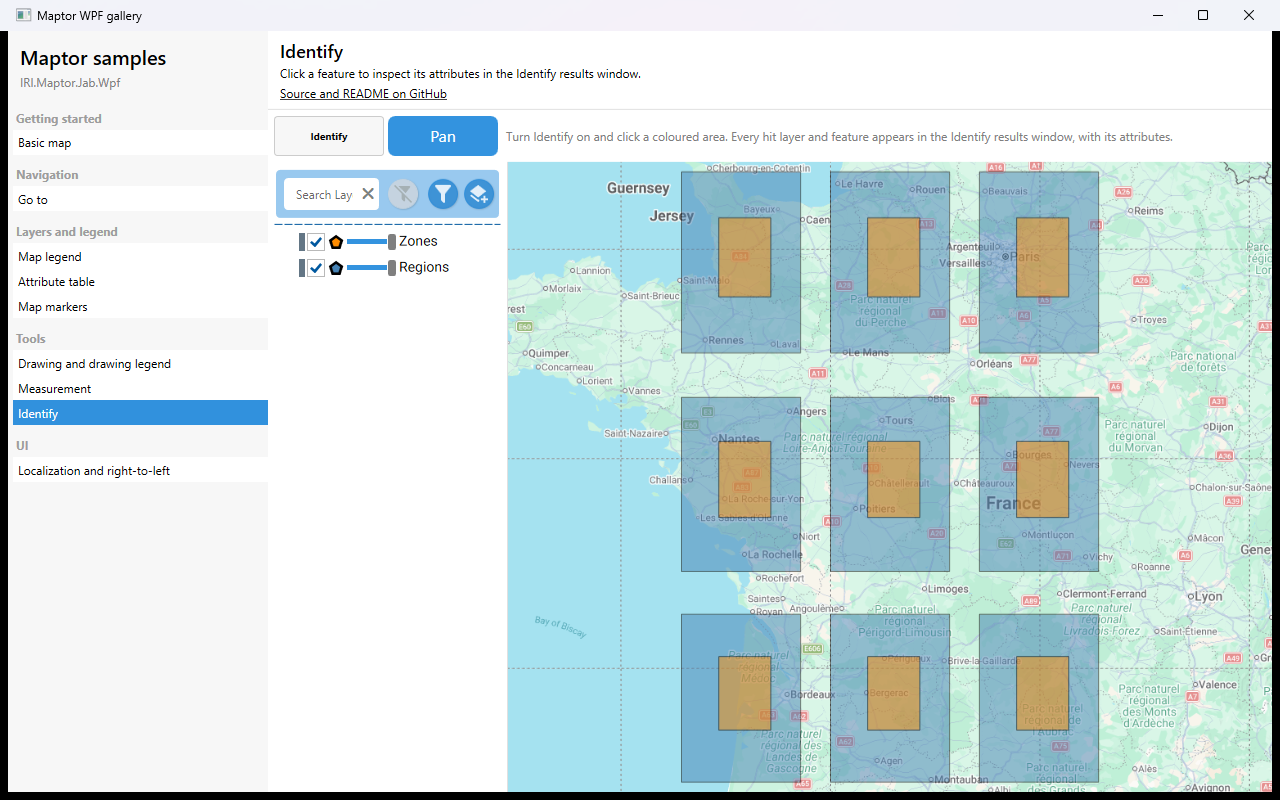
What it shows
IdentifyModeCommandtogglesMapActionbetweenIdentifyandPan;IsIdentifyModedrives the toggle button.- The Identify results window lives in the library and is wired by
MapViewer— nothing to add in the app. - Two in-memory
VectorLayers with attributes, built exactly as in the Map legend sample.
The essential code
<ToggleButton Content="Identify"
              Command="{Binding IdentifyModeCommand}"
              IsChecked="{Binding IsIdentifyMode, Mode=OneWay}" />

<maptor:MapViewer x:Name="map" MapAction="{Binding MapAction, Mode=OneWay}" />
How to run
dotnet run --project samples/IRI.Maptor.Samples.Wpf.Gallery
then pick Identify in the list. Source: IdentifySample.xaml,
IdentifySample.xaml.cs.