
IRI.Maptor.Samples.Wpf.Gallery
One window, one page per IRI.Maptor.Presentation.Wpf feature. The navigation list on the left is built
from Shell/SampleCatalog.cs; each page is a UserControl in its own folder under Samples/,
with a README that explains it and links to the source.
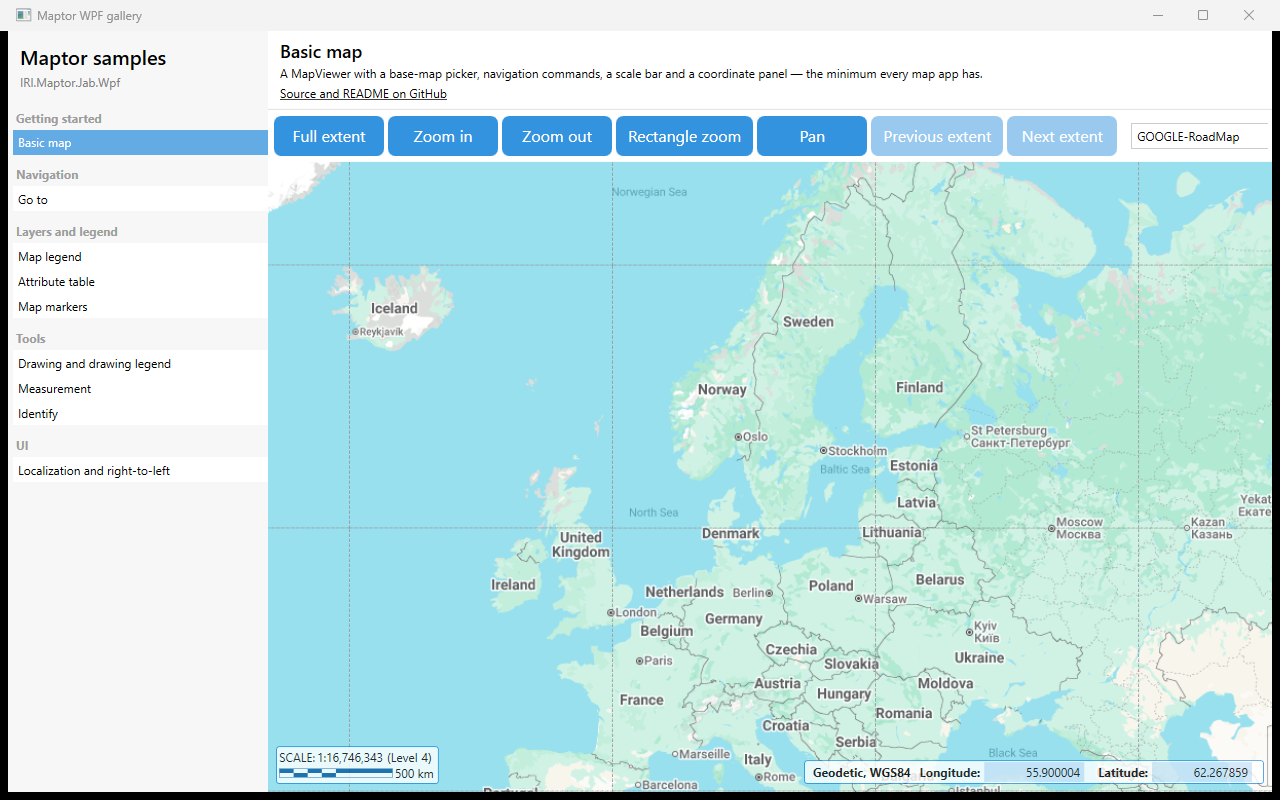
Samples
| Page | Folder | Shows |
|---|---|---|
| Basic map | Samples/BasicMap | Navigation commands, base-map picker, Scalebar, CoordinatePanelView |
| Go to | Samples/GoTo | GoToCommand dialog and GoToView hosted inline |
| Map legend | Samples/MapLegend | MapLegendView, in-memory VectorLayer, add shapefile / GeoJSON |
| Attribute table | Samples/AttributeTable | FeatureTabControl, SelectedLayer, opening a table from code |
| Map markers | Samples/MapMarkers | SpecialPointLayer, Locateable, built-in markers, a custom command |
| Drawing and drawing legend | Samples/DrawingLegend | Draw commands, MapDrawingLegendView, SketchBarView |
| Measurement | Samples/Measurement | MeasureLengthCommand, MeasureAreaCommand |
| Identify | Samples/Identify | IdentifyModeCommand, Identify results window |
| Delaunay and Voronoi | Samples/DelaunayVoronoi | DelaunayTriangulation, VoronoiDiagram, clipping unbounded cells |
| Localization and right-to-left | Samples/Localization | LanguageCombo, LocalizationManager bindings, FlowDirection |
How a page is built
Every page is a UserControl that owns its own MapViewer and initializes it in Loaded,
exactly like HelloMap does in its window:
var presenter = new GalleryMapViewModel();                         // empty MapViewModelBase subclass
presenter.InitializeSettings(ProxySettings.Default, BaseMapSettings.Default,
    new MapSettings { InitialExtent = BoundingBoxes.WebMercator_Europe }, GeneralSettings.Default);
await MapInitializationHelper.InitializeMapAsync(map, Window.GetWindow(this)!, presenter);
DataContext = presenter;
presenter.SelectedMapProvider = TileMapProviderFactory.GoogleRoadMap;
The shell (MainWindow, Shell/) only lists pages and hosts the selected one; a page never
references the shell, so a sample folder can be copied into your own application as is. The one
shared file is Shell/GalleryMapViewModel.cs — three lines — used by the pages that need no
commands of their own.
How to run
dotnet run --project samples/IRI.Maptor.Samples.Wpf.Gallery
Adding a page
- Create
Samples/<Name>/<Name>Sample.xaml(+.xaml.cs) andSamples/<Name>/README.md. - Add one
new(...)line toShell/SampleCatalog.cswith the category, title, description and folder.