
Basic map
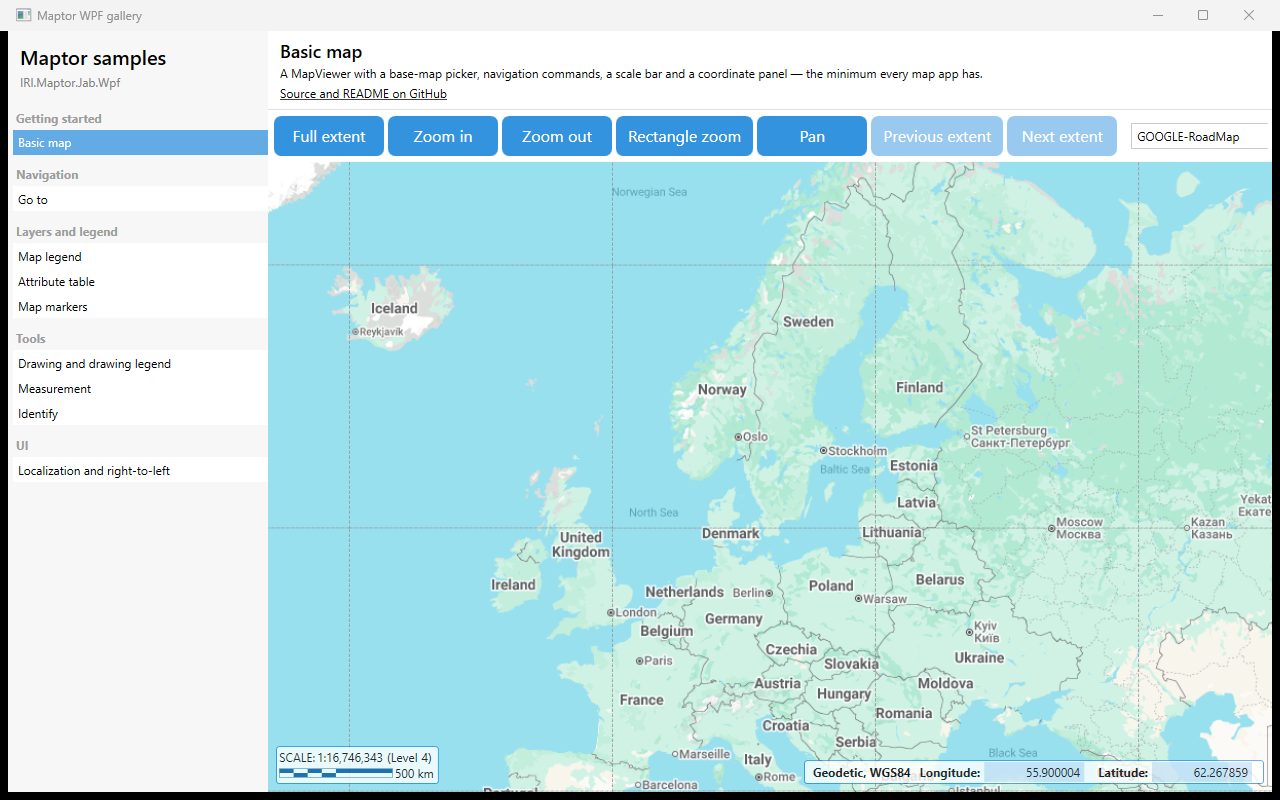
A MapViewer with the built-in navigation commands, a base-map picker, a scale bar and a coordinate panel — the minimum every map application has. The view model is an empty MapViewModelBase subclass; every button binds to a command the base class already provides.
What it shows
MapViewerbound toMapAction— the property that decides what the mouse does.FullExtentCommand,ZoomInAtCenterCommand,ZoomOutAtCenterCommand,RectangleZoomCommand,PanCommand,PreviousExtentCommand,NextExtentCommand.MapProviders/SelectedMapProvider— the base-map list and the active one.ScalebarwithMapScale_CurrentPointandNearestGoogleZoomLevel.CoordinatePanelViewshowing the mouse position in a selectable coordinate system.
The essential code
<maptor:MapViewer x:Name="map" MapAction="{Binding MapAction, Mode=OneWay}" />

<maptor:Scalebar CurrentScale="{Binding MapScale_CurrentPoint}"
                 ZoomLevel="{Binding NearestGoogleZoomLevel}"
                 ShowScaleValue="True" ShowZoomLevel="True" />

<maptor:CoordinatePanelView DataContext="{Binding CoordinatePanel}"
                            Position="{Binding CurrentPoint, ElementName=map}" />

<ComboBox ItemsSource="{Binding MapProviders}"
          SelectedItem="{Binding SelectedMapProvider, Mode=TwoWay}"
          DisplayMemberPath="Title" />
How to run
dotnet run --project samples/IRI.Maptor.Samples.Wpf.Gallery
then pick Basic map in the list. Source: BasicMapSample.xaml,
BasicMapSample.xaml.cs.